Designed to Work with LightBurn
MOPA Laser Rasterizer is an artwork-preparation assistant for LightBurn. It handles specialized raster-to-vector, material-library, and diffraction-calibration work, then hands the resulting project to LightBurn for inspection and production.
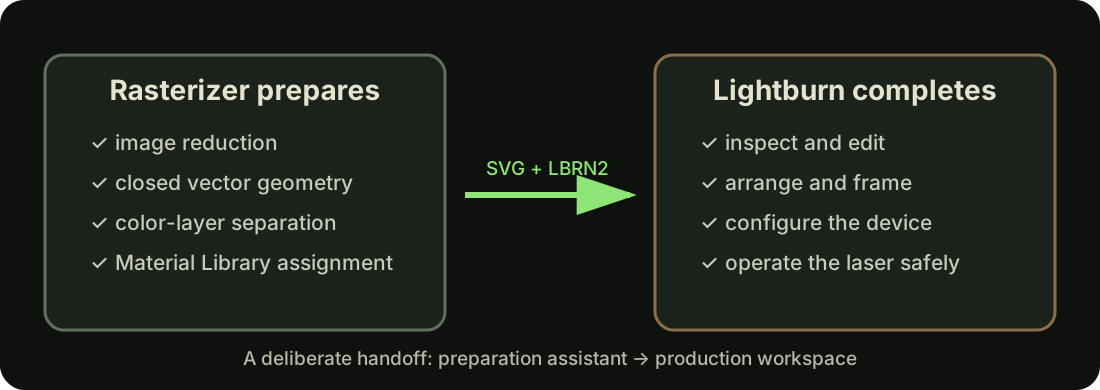
LightBurn remains the production workspace
LightBurn is established laser software with the device setup, layout, editing, layer controls, framing, and machine-operation workflow operators rely on. This application does not attempt to reproduce or replace those capabilities.
Official LightBurn resources
Visit the official LightBurn website for downloads, licensing, documentation, and product information.
For questions, techniques, troubleshooting, and discussions with other operators, visit the LightBurn Community Forum.
Independent, but enthusiastically supportive
MOPA Laser Rasterizer is an independent project. It is not affiliated with, sponsored by, or endorsed by LightBurn Software. I am simply a hobby laser operator and enthusiast who strongly recommends LightBurn based on my own experience.
LightBurn compatibility is a personal requirement when I evaluate a laser. If a machine cannot work with LightBurn, I will not consider it for my own workshop. That opinion reflects my workflow and priorities; buyers should still confirm compatibility with the exact laser, controller, and LightBurn version before making a purchase.
What this application adds
The Rasterizer prepares color-separated vector geometry from images, associates layers with settings from a LightBurn Material Library, and exports an editable .lbrn2 file. The Fauxlographic Etching Lab adds a calibration-first way to prepare experimental diffraction artwork for that same LightBurn workflow.
The handoff is intentional
Generated .svg files and .lbrn2 files are starting points for review in LightBurn. Before running a laser, use LightBurn to confirm project dimensions, placement, device selection, layer order, cut mode, speed, power, frequency, pulse width, passes, interval, and scan direction.
A companion, not a controller
This application does not connect to or command the laser. It does not frame a job, configure a device, replace machine safety controls, or decide that settings are safe. The operator remains responsible for the final LightBurn project and physical process.